Multi-Branch Operations
Manage customer conversations across multiple branches
Customers usually message the brand and expect the nearest branch or location to answer. Exenra routes each conversation to the location that should reply, lets branch teams work their own queue and gives head office one view across every number and channel.
Two ways to set up branches
Choose based on how customers find you today. You can also mix them, for example a central number for ads and local numbers on shop signs.
One number for the whole brand?
Shared number, routed by branch
Customers use the number on your ads and website. Exenra asks which branch they want or uses the location they share, then assigns the chat to that branch's team.
- One number to promote everywhere
- A routing rule decides the branch
- Easy to move a chat to another branch
A number on every shopfront?
One WhatsApp number per branch
Each location keeps its own number, all connected to the same workspace. Each branch team handles its own number's chats, and head office sees them all.
- Number selector with health status for each number
- AI assistant on or off per number
- Templates and analytics per number
Multiple numbers
Every branch number in one workspace
Connect several WhatsApp numbers to one Exenra workspace and switch between them with the number selector. Each number shows its health status, has its own templates and analytics, and can have the AI assistant switched on or off.
- Official WhatsApp Business Platform for every number, through Meta's Cloud API.
- AI on for busy branches, off where staff prefer to reply themselves.
- Campaigns from a branch number to that branch's opted-in customers.
How branch teams and head office work in Exenra
Each branch runs its own queue. Head office sees the whole network without asking for a report.
A team for each branch
Assign conversations to the branch team. Staff pick up chats from Assigned and Mine, and leave notes for the next shift.
Reassign between branches
When a customer wants a different location, move the conversation to that branch. The history moves with it.
Head office sees everything
Every number's conversations and every team's open chats in one workspace.
Local and brand-wide campaigns
Send from a branch number to its own customers, or from the main number to everyone who opted in.
AI per number
Turn the AI assistant on where volume is high and off where staff want to reply personally.
Branches compared
WhatsApp analytics per number show response rate and average response time, branch by branch.
Head-office visibility
Head office sees the whole network
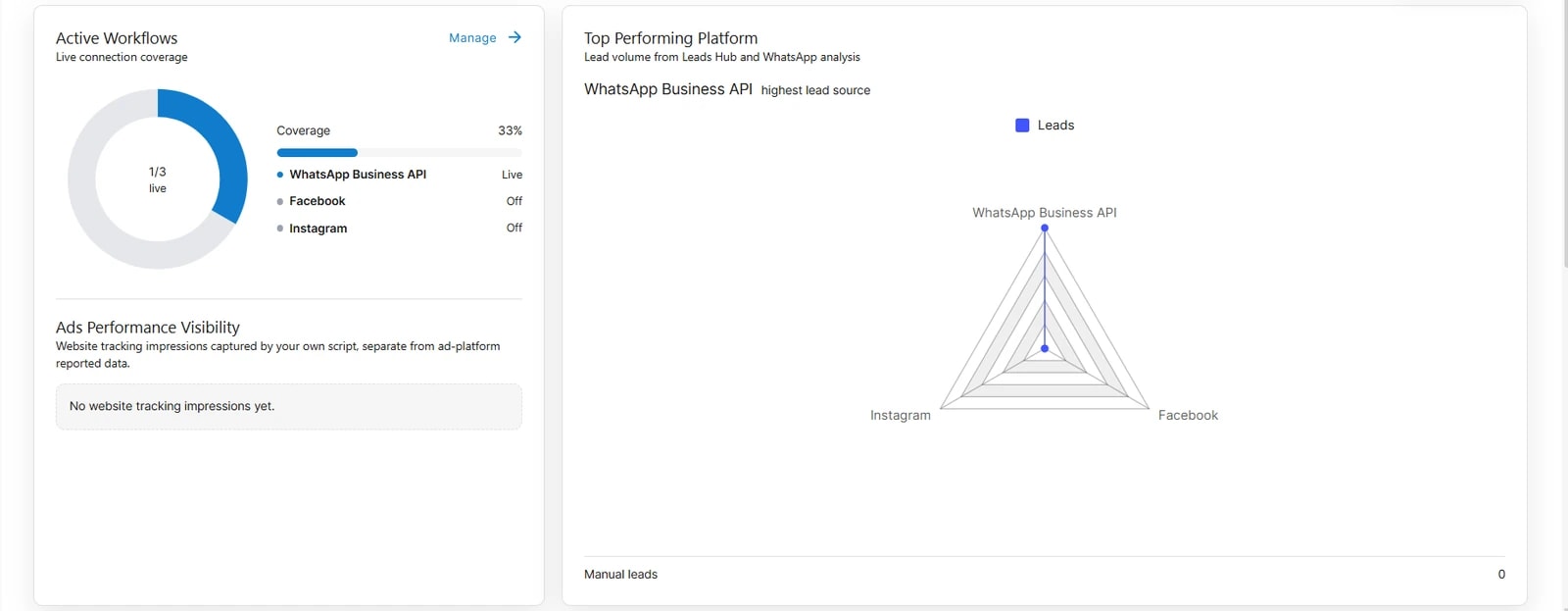
The dashboard shows which channels have active workflows and which lead source performs best. WhatsApp analytics add conversations and response times for each number, so a branch that is falling behind shows up early.
- Active workflow coverage for each connected channel.
- Top lead source across the workspace.
- Response rate and average response time per WhatsApp number in WhatsApp analytics.
Exenra Embedded, partner preview
For software vendors serving multi-branch businesses
If you sell a POS, ERP or booking system to chains and franchises, Exenra Embedded can put a customer inbox inside your product, next to the branch and order data you already hold. Each client connects its own channels, and sessions are scoped to one client and one employee.
Questions from businesses with several branches
About numbers, routing and visibility.
Can we connect more than one WhatsApp number to one workspace?
Yes. Several WhatsApp numbers can be connected to one workspace, and you switch between them with the number selector. Each number has its own health status, templates and analytics.
Should each branch have its own number?
It depends on how customers find you. One number is easier to promote and routes chats by branch. A number per branch suits shops whose customers already know their local number. Many businesses use both.
How are conversations routed to a branch?
With a shared number, a routing rule assigns the chat based on what the customer tells you, such as the branch they choose or the location they share, and asks when it isn't clear. With a number per branch, chats go to that branch's team.
Can head office see all branches?
Yes. All numbers and teams sit in one workspace, so managers can see every conversation and compare WhatsApp analytics across numbers.
We sell software to multi-branch businesses. Can we offer this inside our product?
That's what Exenra Embedded is for. It's in partner preview, and we scope each integration with your product team. Read about Exenra Embedded.