AI Customer Support
AI customer support on WhatsApp and social channels
An AI agent can answer the questions your team types out every day, at any hour, from the documents you give it, with people ready to take over. Exenra lets you decide which conversations it handles, write the rules for when it hands over and see how quickly customers get an answer.
What to automate
Decide what the AI agent handles
Start with questions that have one correct answer written down somewhere. Keep anything that needs judgement, access to other systems or a commercial decision with your team.
Let the AI agent answer
Questions with one correct answer that is already written down in your documents or on your website.
- Opening hours, branches and delivery areas
- Prices and product details from your price list
- Policies such as returns, warranty and payment methods
- Collecting a name or order number before a handover
A teammate replies, with AI Assist
Requests that need a quick check or a small decision. A person sends the reply, with AI Assist in the composer.
- Order or booking changes
- Questions that need a look in another system
- Follow-up questions after a handover
Keep it with your team
Conversations that need judgement, approval or a careful tone.
- Complaints, refunds and damaged items
- Discounts and exceptions
- Upset customers and sensitive topics
- Anything that sounds like legal, medical or financial advice
Knowledge
Train the agent on what you already have
Most support teams already have the answers somewhere: a price list, a returns policy, an FAQ page. Setting up an agent takes three steps in Exenra.
- Provide information, such as the agent's name, its role and what your business sells.
- Add knowledge by uploading PDF, DOCX, XLSX or TXT files up to 20 MB each, or adding website links, text, images and videos.
- Set behaviour with instructions, tone and language, and response rules for specific situations.
Escalation
Hand over before the customer has to ask twice
Handoff rules are part of the agent's behaviour, written in plain words. When one applies, the conversation is assigned to a person or team and appears in their queue. Teammates can also take over any conversation at any time, and the AI assistant can be switched off for a WhatsApp number.
- Escalation by topic, such as refunds to Support and bulk orders to Sales.
- A rule for unknown answers, so the agent doesn't guess.
- Internal notes on handover so the person picking up knows what was said.
Response times
Measure whether customers get answers faster
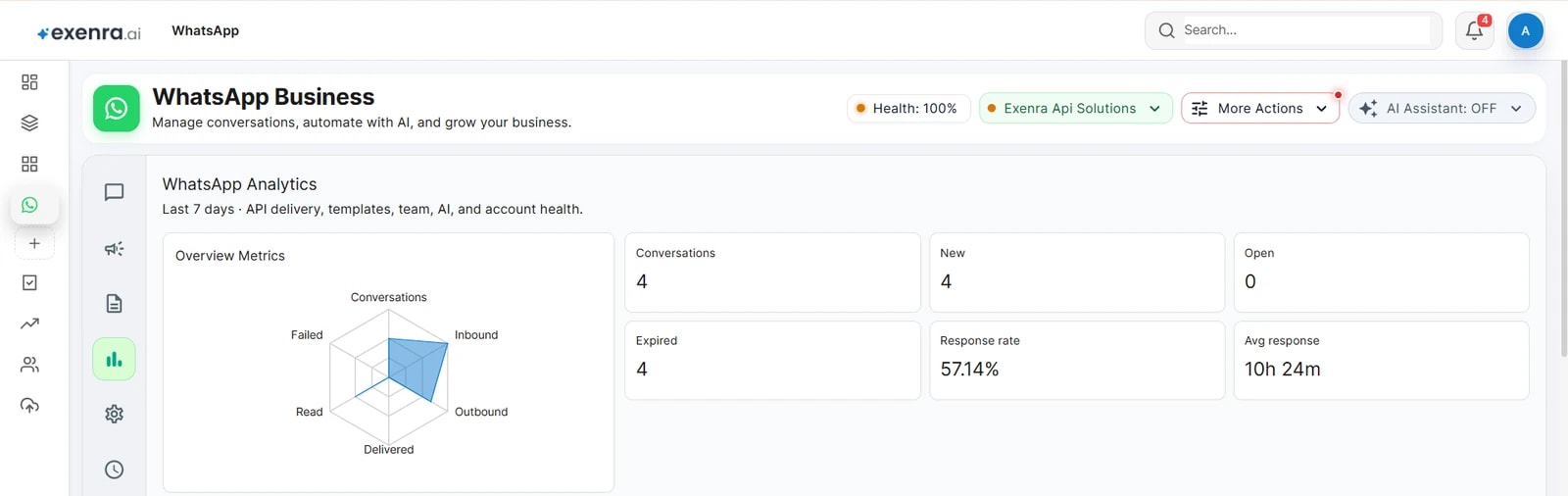
WhatsApp analytics show conversations, new, open and expired chats, response rate and average response time for each number. Check the same view before and after you switch the agent on, and read a sample of AI-handled conversations every week.
How support teams roll out an AI agent
A cautious path that keeps customers safe while the agent learns your business.
Pick one number and a short list of questions
Start where volume is highest and answers are already written down.
Upload the sources
Price list, policies and FAQ page. Remove outdated files first.
Write the handoff rules
Complaints, refunds, discounts and anything you'd want to approve.
Switch it on and read
Read AI-handled conversations daily at first and fill gaps in the sources.
Widen the scope
Add topics once the answers hold up.
Questions about AI support
About control, accuracy and cost.
Will the AI agent reply to customers on its own?
Only if you switch it on. You train the agent, turn the AI assistant on for a WhatsApp number and set the rules for when it hands over. Any teammate can take over a conversation at any time.
What happens when the agent doesn't know the answer?
Add a response rule telling it to say so and hand over, as in the example above. AI can still get things wrong, so read a sample of its conversations regularly and fix gaps in your documents.
Which channels can the AI agent answer on?
The agent is trained and switched on per WhatsApp number. For Instagram, Facebook and other channels in the shared inbox, your team can use AI Assist in the reply composer. We'll confirm what automatic replies are available for your channels during a demo.
Can it answer in more than one language?
You choose the tone and language as part of the agent's behaviour. Test it with real customer messages in each language you serve before relying on it.
How is AI usage charged?
AI usage runs on tokens from your workspace balance, which you can top up from the app. Plan details are on the pricing page.
Can we see what the AI agent said?
Yes. AI replies appear in the conversation history in the shared inbox, so your team can read them, add notes and take over.