CRM & Lead Management
CRM and lead management for WhatsApp and social media leads
Leads from Facebook and Instagram Lead Ads, WhatsApp chats, QR codes and direct messages land in one place. Each gets an owner and a status, and the conversation stays with the lead, so follow-up doesn't depend on anyone's memory.
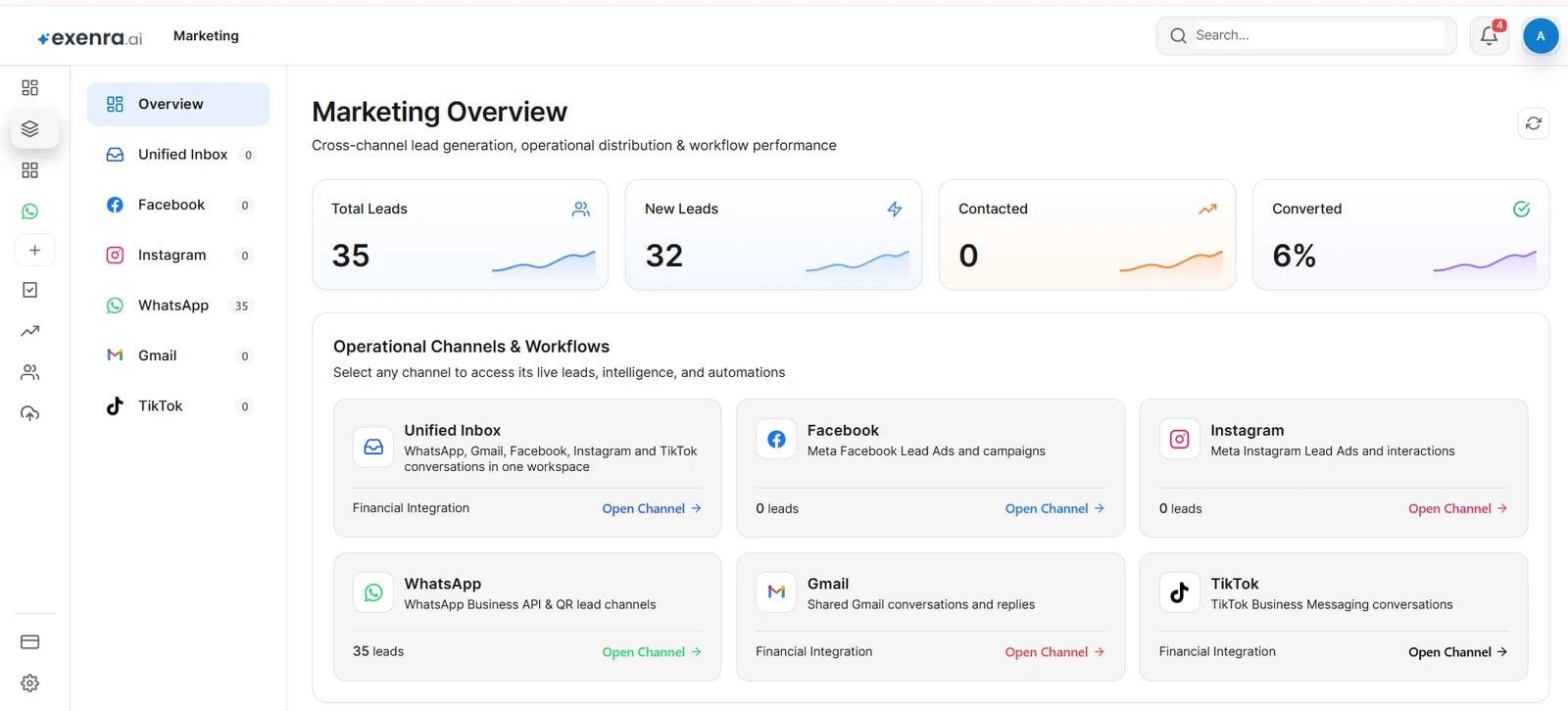
Where your leads come from
Exenra counts leads by channel, so you can see which source is producing and which has gone quiet.
Facebook Lead Ads
Forms submitted on your Facebook ads arrive as leads. They are separate from Messenger conversations, which land in the inbox.
Instagram Lead Ads
Lead forms from your Instagram ads, counted under Instagram in the marketing overview.
WhatsApp and QR lead channels
Enquiries to your WhatsApp Business numbers, including chats started from QR codes on flyers, packaging or a shop counter.
Direct messages
Instagram DMs, Facebook Page messages and TikTok chats where available. Convert the ones with real buying interest.
Your website
WhatsApp links and QR codes on your site bring visitors into a chat. Website tracking from your own script is reported separately.
Leads you add yourself
Walk-ins and phone enquiries can be entered by hand, and the dashboard counts manual leads on their own.
Convert to lead
Turn a conversation into a lead in one step
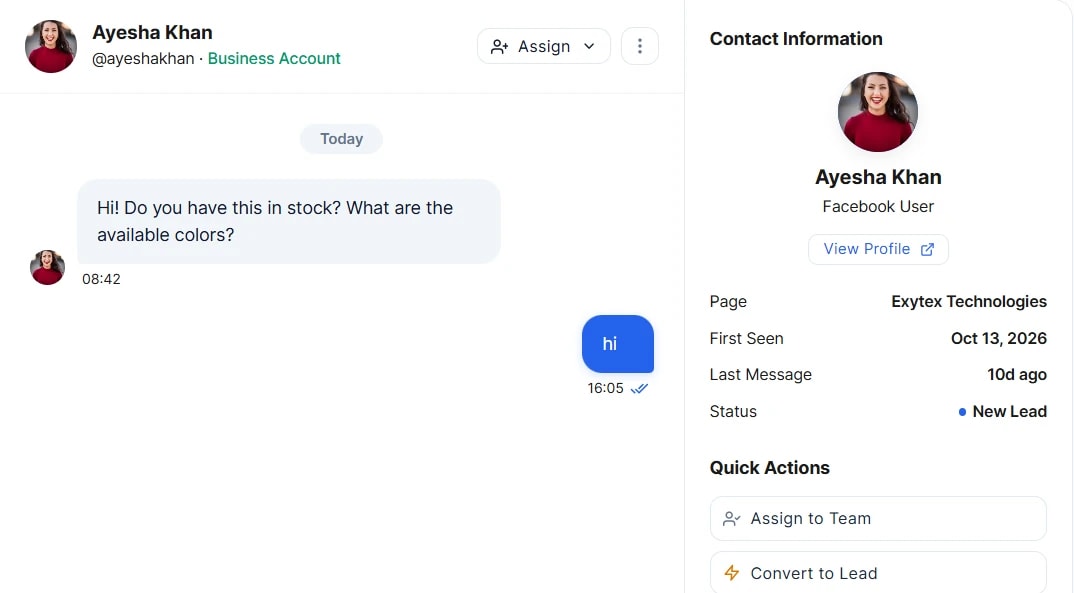
Most leads start as a chat. When a conversation shows real interest, convert it from the contact panel and it becomes a lead with the chat attached.
Open the conversation
From the unified inbox or the channel's own inbox.
Convert to lead
Use Convert to Lead in the contact panel. The lead keeps the conversation and the contact details.
Give it an owner
Assign it to a person, or to a team that picks it up.
Keep the status current
Move it from New to Contacted once someone has replied, and to Converted when the sale is made.
Lead status, kept simple
The product tracks three statuses. Agree as a team what each one means, so the numbers in your marketing overview mean the same thing to everyone.
| Status | What it means | Who acts next |
|---|---|---|
| New | The lead has arrived, from a form, a chat or a manual entry, and nobody has replied yet. | The assigned owner, as quickly as possible. |
| Contacted | Someone on your team has replied or called, and the conversation is moving. | The owner, with a follow-up date for the next step. |
| Converted | The lead became a customer: an order, a booking, an admission or a signed deal. | Nobody. It now counts toward the Converted figure in the marketing overview. |
Lead timeline
A lead's whole history in one place
When the form, the first reply, the owner and the next appointment sit on one record, anyone can pick up the lead and know where it stands. This example follows an admissions enquiry from an Instagram Lead Ad to a booked campus visit.
Why chat-led teams run their leads in Exenra
Every lead has a named owner
Leads without an owner go cold. Assign on arrival, by hand or by rule, and the owner's name is on the record.
The conversation is part of the record
Replies, notes and the original enquiry stay together, so a handover doesn't start from zero.
Leads by channel without a spreadsheet
The marketing overview shows total, new, contacted and converted leads, with a card for each channel.
Follow-up that runs on rules
Workflows can assign, tag and create follow-ups when a lead arrives, so the first reply isn't left to chance.
Questions buyers ask
Do Facebook Lead Ads leads arrive in Exenra?
Yes. When your Facebook Page is connected, Lead Ads leads appear under the Facebook channel and in the marketing overview. Instagram Lead Ads appear under Instagram in the same way.
What is the difference between a Lead Ad and a Messenger conversation?
A Lead Ad is a form someone fills in on Facebook or Instagram. A Messenger or Instagram conversation is a chat. Exenra handles both, but they arrive in different places: forms as leads, chats in the inbox, where you can convert them.
Can we assign leads automatically?
Yes. Assign by hand from the conversation, or use assignment rules such as round robin or routing by team. See team management.
What are QR lead channels?
WhatsApp QR codes that open a chat with your business. Put them on packaging, flyers, a shop counter or your website, and the chats they start count as WhatsApp leads.
We already use Salesforce or HubSpot. Do we have to switch?
No. Exenra can sit beside your existing CRM. We can scope a connection to systems such as Salesforce, HubSpot or Zoho against their APIs, as a project-scoped integration. CRM integration.
Can we see which channel brings the most leads?
Yes. The marketing overview shows total, new, contacted and converted leads with a card per channel, and the dashboard names your top lead source.