Instagram DMs and Lead Ads, handled from one team inbox
Connect your Instagram professional account and answer direct messages next to WhatsApp and Facebook. Leads from Instagram Lead Ads arrive in the same workspace, so the team that answers DMs can follow up on forms too.
Direct messages and Lead Ads are different things
Both come from Instagram and both end up in Exenra. They start differently and need a different response, so Exenra keeps them apart.
A person writes to your account
Instagram direct messages
A two-way conversation with your professional account. Your team replies in the thread while the person is still around.
- Questions about products, prices, sizes and delivery
- Answered by your team, or by the AI assistant where you allow it
- Converted to a lead when there is buying intent
A person fills in a form on your ad
Instagram Lead Ads
A form inside an ad, created in Meta Ads Manager. The person sends their details without starting a chat.
- Name, phone, email and the answers you ask for
- Arrives with the campaign, ready to assign
- Your team chooses how to follow up
The Instagram inbox in Exenra
Each connected account shows its status at the top, with a connection check and filters for All, Unread, Assigned and Closed. Every DM also appears in the Unified Inbox next to your other channels.
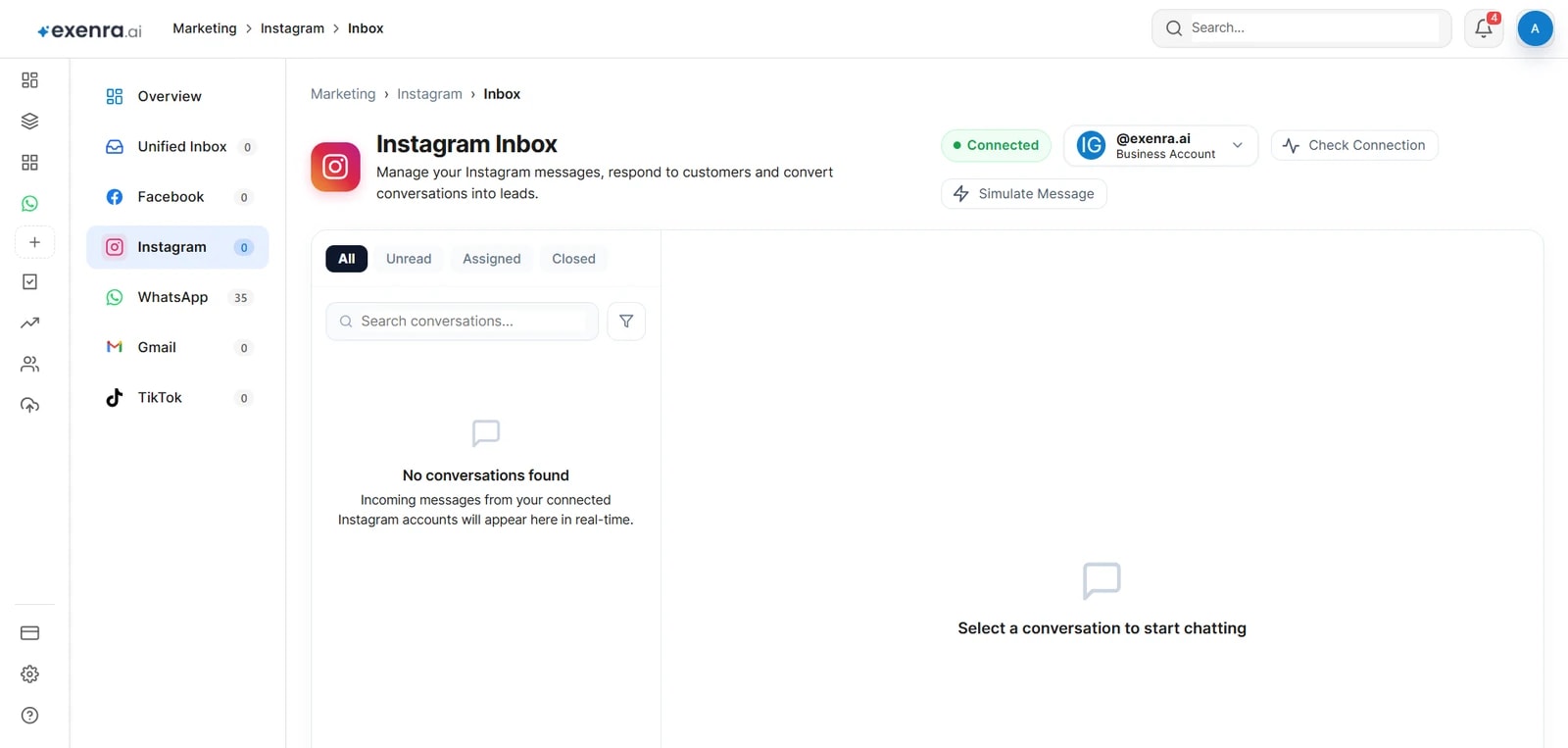
Connection status in view
See whether the account is connected, which business account it is, and run Check connection when something looks off.
Assignment and notes
Give a DM to a person or a team, and leave internal notes the customer never sees.
Convert to lead
Turn a conversation into a lead with the chat attached, so the follow-up happens in your pipeline.
Instagram Lead Ads
Lead Ads that reach an owner while the lead is fresh
A Lead Ad form tells you someone is interested, and the first contact decides whether they stay interested. Exenra receives each submission, applies your assignment rules and puts the lead in front of the right person with the campaign beside it.
- Assignment by rule, such as round robin or by campaign.
- Follow-up tasks with dates, visible to managers.
- Pipeline stages from New to Won, with the source on every card.
Account requirements and what Meta shares
Before you connect
- An Instagram professional account, either business or creator
- Permission to manage that account in Meta's tools
- Message access for connected tools turned on in Instagram's settings, where Meta asks for it
- For Lead Ads, access to the Facebook Page your lead forms belong to
What arrives in Exenra
- Direct messages sent to your professional account
- Other messages Meta makes available through its API, which can include story replies and mentions
- Lead Ads form submissions with the answers people gave
- New messages as they happen, through Meta's webhooks
Instagram questions
About DMs, Lead Ads and connecting your account.
Do we need an Instagram business account?
You need an Instagram professional account, which can be a business or a creator account. Meta only offers messaging access to professional accounts, so a personal account has to be switched first in the Instagram app's settings.
Are Instagram Lead Ads the same as DMs?
No. Lead Ads are forms inside an ad, and a submission is a lead without a chat. DMs are conversations. Exenra handles both, Lead Ads as leads and DMs in the inbox.
Will story replies and mentions show up?
Exenra receives the messages Meta makes available through its API for your account, which can include replies to your stories and mentions. What Meta shares can change, so we confirm it for your account during set-up.
Can several people answer the same Instagram account?
Yes. Conversations can be assigned to a person or a team, and everyone sees who is handling each one. Nobody needs the Instagram password.
What if the connection stops working?
Run Check connection on the Instagram inbox. A connection usually breaks when the person who connected the account loses access, changes a password or removes permissions in Meta's settings. Reconnecting from an account that still manages it restores the link.