Analytics & Reporting
WhatsApp analytics and lead reporting in one place
See how many conversations came in, how quickly your team answered, which channel brought the leads and whether your WhatsApp messages were delivered and read. The numbers come from the conversations themselves, so there's no weekly spreadsheet to keep up to date.
Three views, three questions
Each report answers a different question. Switch between them below.
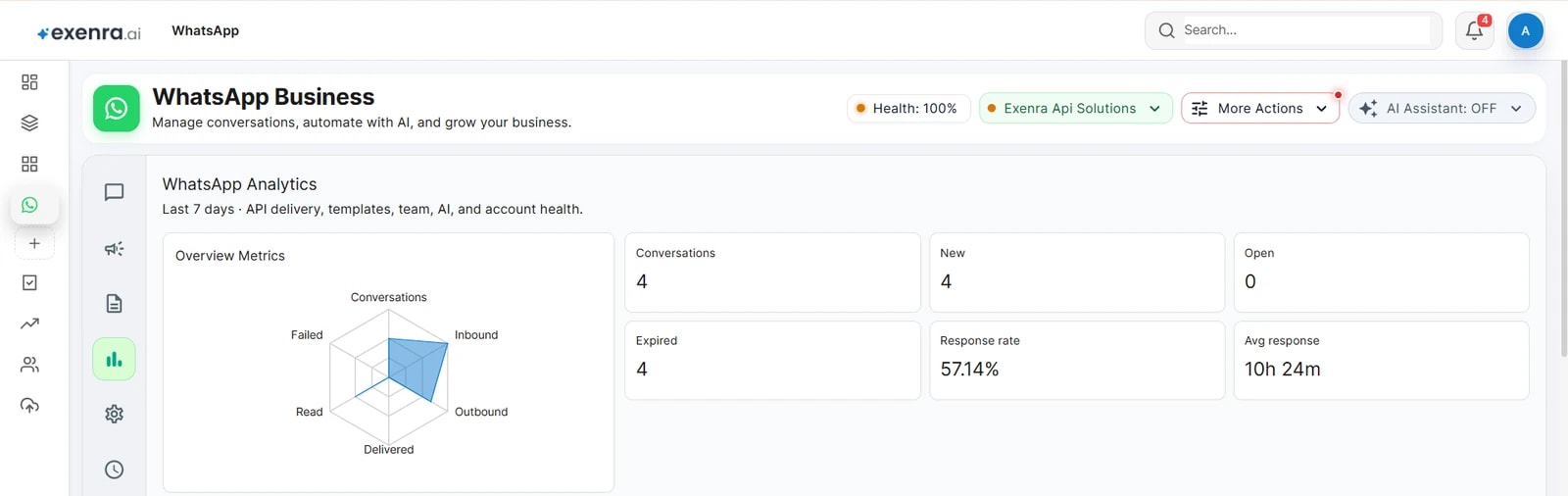
How your WhatsApp numbers are performing
Conversations, new, open and expired counts, response rate and average response time, with an overview of inbound, outbound, delivered, read and failed messages. Template analytics and delivery health sit alongside.
- Look at each number separately with the number selector
- Spot failed deliveries before your next campaign
- Track average response time week to week
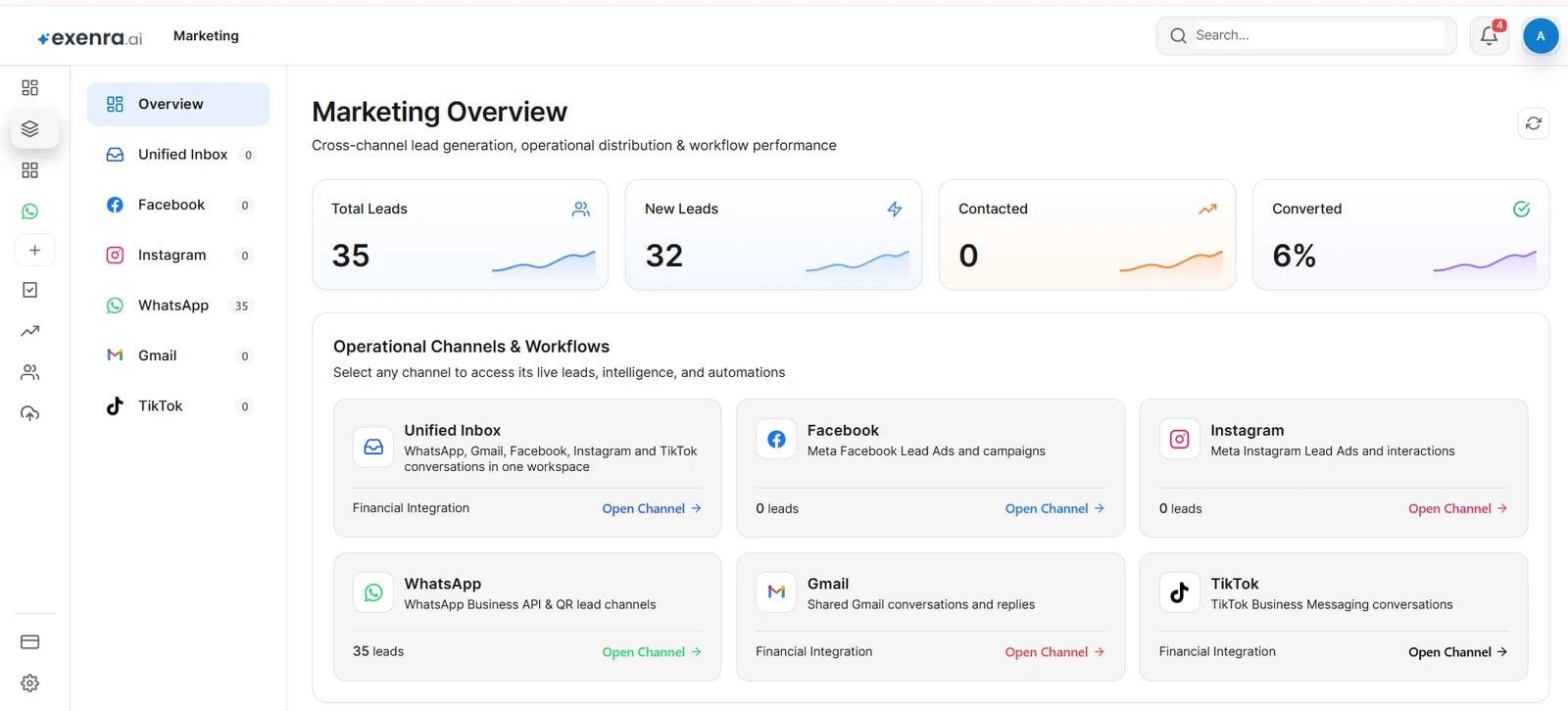
Which channels bring your leads
Total, new, contacted and converted leads across the workspace, with a card for each channel: the unified inbox, Facebook and Instagram Lead Ads, WhatsApp including QR lead channels, Gmail and TikTok.
- See which source is producing this week
- Find new leads nobody has contacted
- Track the converted figure as statuses are updated
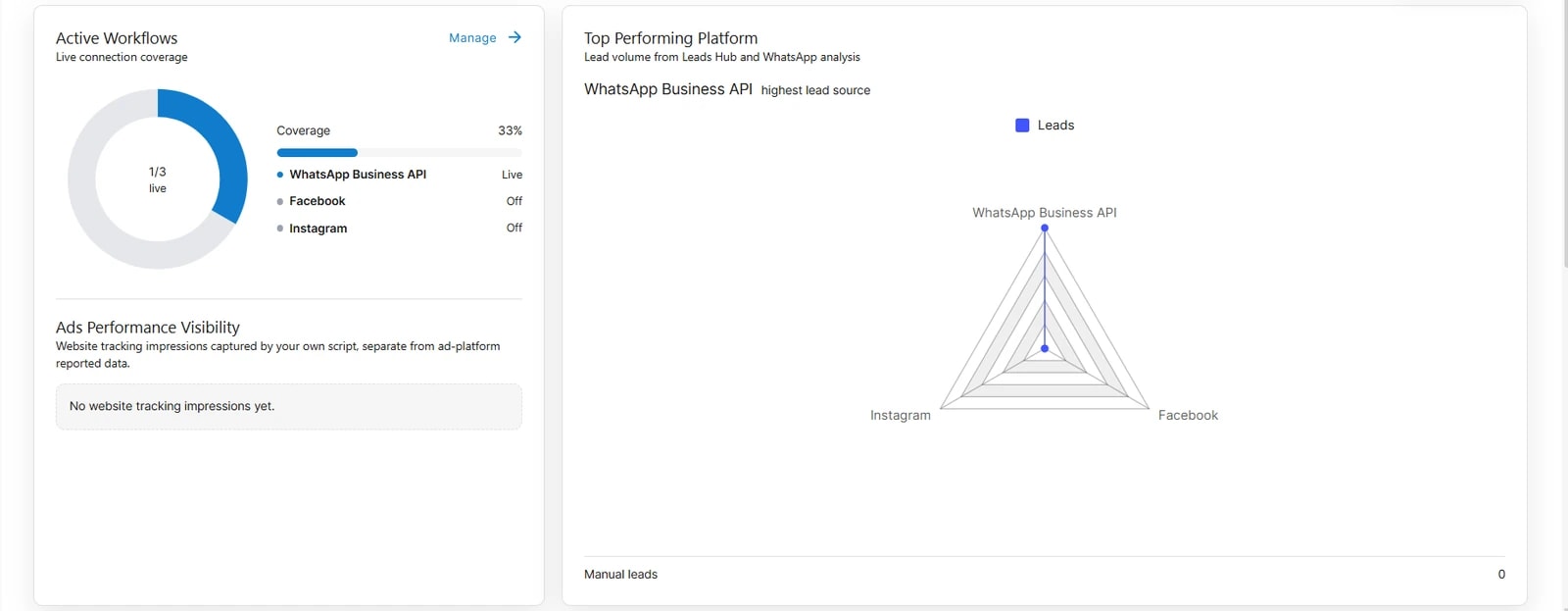
How the workspace is set up and where leads come from
Active workflow coverage for each connected channel, website tracking impressions from your own script, and your top performing platform by lead volume.
- Check which channels have workflows live
- Keep website figures apart from ad-platform data
- See your top lead source and manual leads
Metric glossary
What each number counts and where to find it.
| Metric | Where you'll find it | What it tells you |
|---|---|---|
| Conversations | WhatsApp analytics | WhatsApp conversations in the period, for the selected number. |
| New | WhatsApp analytics | Conversations that started in the period. |
| Open | WhatsApp analytics | Conversations that are still open. |
| Expired | WhatsApp analytics | Conversations whose 24-hour customer service window has closed. To message these customers again, use an approved template. |
| Response rate | WhatsApp analytics | The share of conversations your team replied to in the period. |
| Average response time | WhatsApp analytics | How long customers waited, on average, for a reply. |
| Inbound and outbound | WhatsApp analytics | Messages received from customers, and messages sent by your team, AI agent and campaigns. |
| Delivered, read and failed | WhatsApp analytics | Whether sent messages reached the phone, were opened or weren't delivered. Read counts depend on each customer's read-receipt setting. |
| Template analytics | WhatsApp analytics | How each approved template performs when you send it. |
| Delivery health | WhatsApp analytics | Whether your number is sending reliably. Check it before a large campaign. |
| Total, new, contacted and converted leads | Marketing overview | Lead counts across the workspace, based on the lead statuses your team sets. |
| Leads by channel | Marketing overview | How many leads each source produced: Lead Ads, WhatsApp and QR lead channels, inbox conversations, Gmail and TikTok. |
| Top lead source | Dashboard | The platform producing the most leads, by lead volume. |
| Active workflow coverage | Dashboard | Which connected channels have workflows live, and which are off. |
| Website tracking impressions | Dashboard | Impressions captured by the tracking script on your own website, kept separate from figures reported by ad platforms. |
| Manual leads | Dashboard | Leads your team added by hand. |
How to read the numbers well
Website tracking and ad platforms count differently
Your own script counts what happened on your site. Ad platforms report their own impressions and clicks. Expect gaps, and compare trends over time.
Average response time hides the worst cases
One overnight wait can lift the average. Look at each number separately, and open the conversations that waited longest.
Failed messages need a reason
A rise in failures can point to wrong numbers, customers who can't receive messages or a problem with your number. Fix it before the next campaign.
Converted is only as good as your statuses
Agree what Converted means, and make updating the status part of closing a sale.
Questions buyers ask
Why don't our lead numbers match Meta Ads Manager?
Ads Manager counts what Meta's ad system records. Exenra counts the leads and conversations that actually reached your workspace, and the dashboard's website impressions come from your own tracking script. Different sources follow different rules, so small gaps are normal.
Can we see analytics for each WhatsApp number?
Yes. The WhatsApp area has a number selector, so you can look at each number on its own.
Do the reports cover Instagram, Facebook, Gmail and TikTok?
Lead counts in the marketing overview cover every channel. The detailed message metrics on this page, such as delivered, read, failed and template analytics, are WhatsApp analytics.
Where do we see how a campaign performed?
In WhatsApp analytics, under delivery and template analytics. Replies arrive in the shared inbox. About campaigns.
Is there an AI that explains the numbers?
The AI Business Strategist, in early access, is meant for questions such as which channel brought the most qualified leads. Read about it.
Related pages
- AI Business StrategistAsk questions about your data, in early access
- Marketing CampaignsTemplates, broadcasts and delivery
- CRM & Lead ManagementWhere lead statuses are set
- Workflow AutomationCoverage shown on the dashboard
- WhatsApp Business APINumbers, health and templates
- Marketing AgenciesShow clients what happened to their leads