Integrations directory
Every Exenra integration, with its real status
Exenra connects to messaging channels, to the business software your team runs on, and to the products software vendors sell. Some connections are live, some are built per project against your vendor's API, and some are still in development. Each one below says which.
Three ways Exenra connects to other software
They answer different questions, and many setups use more than one. A software vendor might embed the inbox, while its clients' own systems are connected as scoped projects.
What should happen when something occurs?
Integration Builder
In developmentTrigger and action flows between a channel and your business software, set up step by step inside Exenra.
- For businesses automating their own tools
- Runs both ways, such as an order event sending an approved WhatsApp update
- Shown as a concept while it is built
Where should people answer customers?
Exenra Embedded
Partner previewThe Exenra inbox and customer context inside a software vendor's own product, through a partner API and JavaScript SDK.
- For POS, ERP, CRM and SaaS vendors
- Each of the vendor's clients is a separate tenant
- A small group of partners onboarded at a time
Which of our own systems should Exenra talk to?
Project-scoped integrations
Project-scopedA connection between Exenra and your ERP, POS, CRM, store or in-house system, planned and built against that vendor's API for your account.
- For businesses with established systems
- Order, invoice or account data beside the conversation
- Scope, responsibilities and tests agreed in writing
What each status label means
The same seven labels appear across this site, so you can tell what works today, what needs a project and what is still on its way.
| Status | What it means | What you can do today | Where it applies |
|---|---|---|---|
| Available | Live in the product. You connect it from your workspace through the platform's official business onboarding. | Sign up and connect it, or ask us to help during onboarding. | |
| Early access | Working in the product for a limited group while a platform review or final checks finish. | Ask for access. Details may change before general availability. | |
| Rolling out | Released in stages. Some accounts have it while others are still being enabled. | Ask whether it is enabled for your account and region. | |
| In development | Being built. What you see on this site is a concept, labelled as one. | Join the early access list and tell us the flows you need first. | |
| Partner preview | Open to a small number of software partners, with our team involved in each integration. | Request an embedded demo and we'll check the fit with your product. | |
| Project-scoped | Built for your account against your vendor's API after a written scope. There is no ready-made connector to switch on. | Request an integration and we'll review the API with you. |
Channels
Messaging channels connect from your own workspace
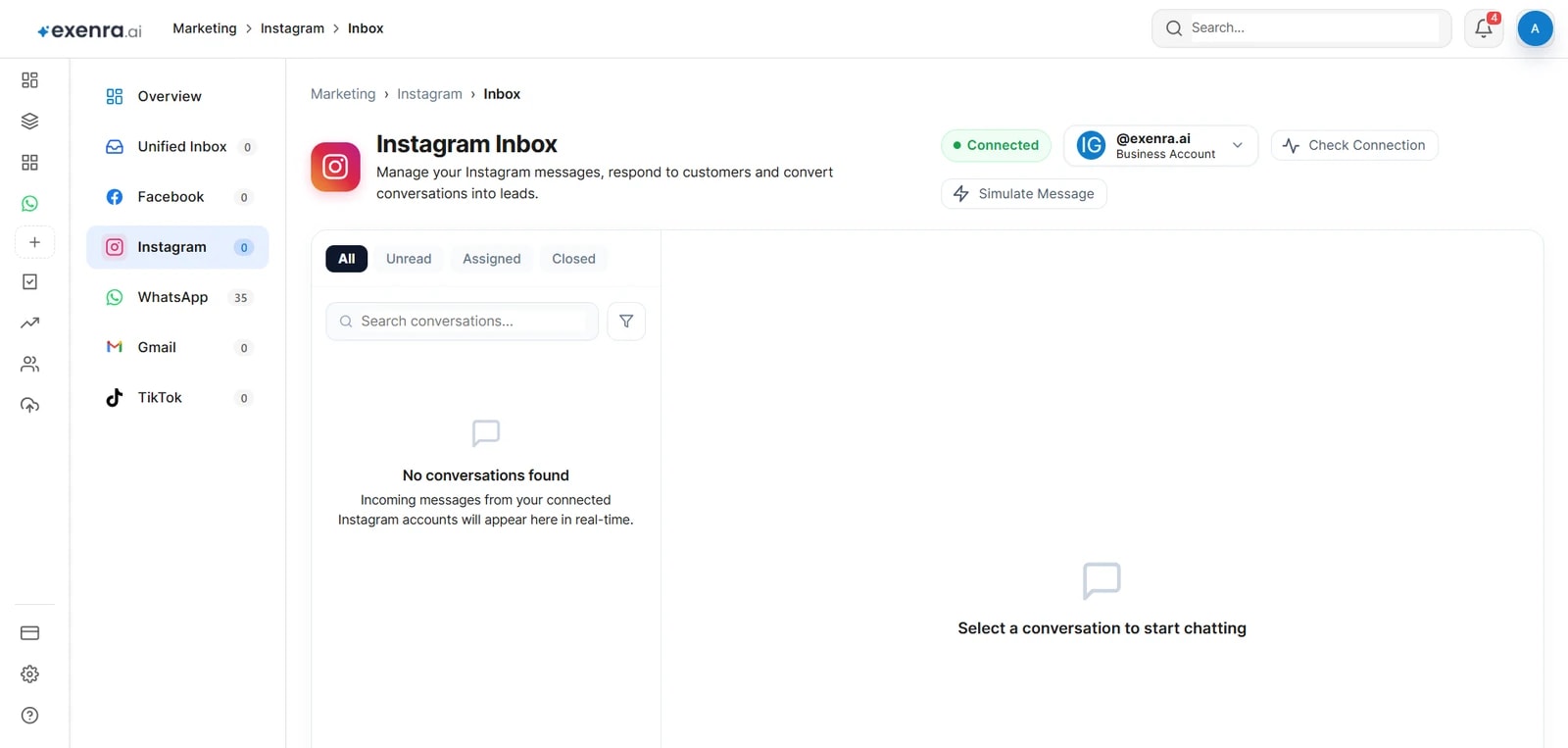
WhatsApp, Instagram and Facebook connect through each platform's official business onboarding, and you can check a connection from the channel's inbox. Gmail is in early access, and TikTok Business Messaging is rolling out where TikTok approves the account.
- WhatsApp runs on Meta's official Cloud API. Exenra is a Meta Tech Provider on the official WhatsApp Business Platform.
- Lead Ads arrive as leads, separately from Instagram DMs and Facebook Page messages.
- Each business authorises its own accounts, so conversations stay in the workspace that owns them.
How to request an integration
Most requests start with a short call. You don't need a technical brief yet, only the system's name and what you want to happen.
Name the system
The product, its version, and whether it runs in the cloud or on your own servers.
Describe the moment
Which event should start something, and what the customer or your team should see when it does.
We review the API
We read the vendor's documentation, check what access your account can grant and tell you what is possible.
Agree a written scope
Data flows, responsibilities and a test plan, agreed before any build starts.
Build, test, go live
Built against a test account first. You sign off each flow before it reaches customers.
Integration questions
Straight answers about what connects today and what needs a project.
Is there a marketplace where I can switch integrations on?
Not today. Messaging channels connect from your workspace. Business systems such as a POS, ERP or CRM are connected as scoped projects. The Integration Builder, which is meant to make simpler flows self-serve, is in development.
Do you have a native Odoo, HubSpot or Shopify connector?
No. Those are examples of systems we can scope. Each connection is built for your account against the vendor's API after we agree a written scope, so we only promise what that API and your access allow.
What is the difference between the Integration Builder and Exenra Embedded?
The builder decides what happens when an event occurs, such as creating a CRM contact when a WhatsApp message arrives. Embedded decides where conversations are answered, inside a software vendor's own product. The builder is in development and Embedded is in partner preview.
Can an integration send WhatsApp messages to customers automatically?
Scoped integrations can, within WhatsApp's rules. A message that starts a conversation, or that goes out more than 24 hours after the customer last wrote, must use a template Meta has approved, sent to customers who agreed to hear from you.
What if our system has no API?
Tell us anyway. Some systems offer exports, database views or an add-on that sends events. If there is no safe way to connect, we'll say so during scoping, before you commit.
Who can see the data that comes from our other systems?
Only people in your Exenra workspace. The scope lists every field Exenra reads or writes, and we agree with you which roles should see it.
Where to go next
- Integration BuilderTrigger and action flows, in development
- Exenra EmbeddedPut the Exenra inbox inside your own software
- APIs & WebhooksEndpoints and events, with current status
- EnterpriseScoped integrations for larger teams
- All channelsWhat each messaging channel covers
- Custom softwareConnect a system you built in-house